Skip to content
logo 1logo 1
  • Get Started
  • White Papers
  • Case Studies
  • Pricing
  • Request a Demo
  • Contact Us
  • Search
logo 1logo 1
  • Get Started
  • White Papers
  • Case Studies
  • Pricing
  • Request a Demo
  • Contact Us
  • Search
Skip to main content
Search Documentation
< All Topics
  • Main
  • Administrative Guide
  • Login Profiles
  • Form based Authentication (Single User)

Form based Authentication (Single User)

Form Based Authentication (Single User) is an authentication method that requires users to enter a predefined username and password through a login page before accessing shared files and folders. It is commonly used when all authorized users can access the shared content using the same set of credentials.

In this document, we will look at the procedure to create a login profile for Form Based Authentication (Single User), enabling secure access to shared files and folders using a single username and password.

Login Profile

To create a Login Profile in NirvaShare, follow the steps below:

  • Log in to the Admin Console of NirvaShare as an administrator.
  • From the left navigation menu, click Login Profiles.
  • Click CREATE in the top-right corner.
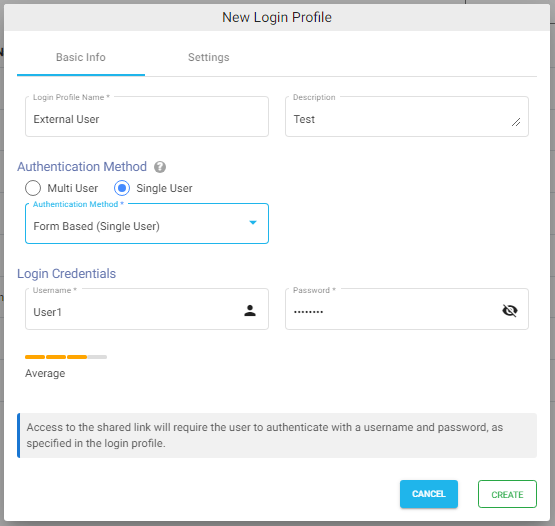
  • Under the Basic Info tab, enter the Login Profile Name and an optional Description.
  • Under Authentication Method, select Single User.
  • From the Authentication Method dropdown, select Form Based (Single User).
  • Enter a username and password of your choice. These credentials will be required when the user accesses the shared file or folder.

Settings

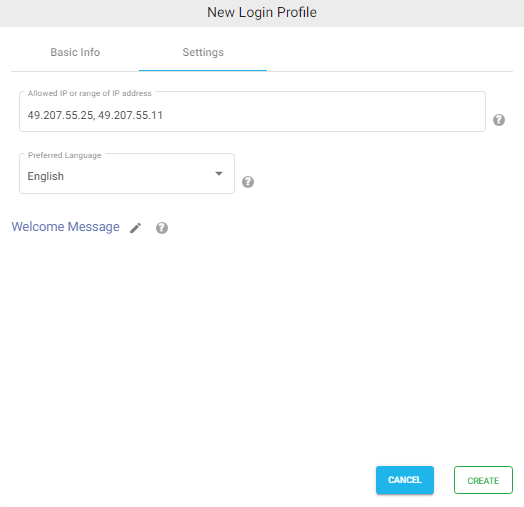
  • Click the Settings tab.
  • (Optional) To restrict access to specific IP addresses or an IP address range, refer to Access Restriction with IP Address.
  • Select the preferred language in the Language field. By default, it is set to English.
  • (Optional) To display a welcome message when users access the share, refer to Welcome Message for the Share.
  • Click CREATE to create the Login Profile.
PostedApril 3, 2023
UpdatedAugust 4, 2026
Previous Basic Authentication
Next Form based Authentication (Group of Users)​
Table of Contents
← Previous Documentation - Article
Next Documentation - Article →

Recent Posts

  • Why Exposing Storage is a Bad Idea while Sharing Files
  • How to Restrict Access to AWS S3 Buckets using SSO with NirvaShare
  • Security Challenges in Drive Mapping with External Storage
  • Securing Access to Object Storage using SSO

Links

  • About Us
  • Customer Case Studies
  • Trial License Request
  • FAQ
  • Blogs
  • Release Notes
  • Documentation
  • Channel Partners
  • NirvaShare Support
File Sharing Software 1 150x150 1
  • Terms and Conditions
  • Privacy Policy
  • GDPR

Contact Us

contact@nirvashare.com

Follow Us

Copyright © 2025 Nirvato Software Pvt Ltd