One-Time Password (OTP) Authentication is a passwordless authentication method that verifies users using a one-time password sent to their registered email address. It is used to provide secure access to shared files and folders without requiring a permanent password. When users access a share, they enter their email address, receive an OTP if authorized, and use it to authenticate and access the shared content.
This document explains how to create an OTP Authentication Login Profile and configure email-based access for shared files and folders.
Login Profile
To create a Login Profile in NirvaShare, follow the steps below:
Log in to the Admin Console of NirvaShare as an administrator.
From the left navigation menu, click LoginProfiles.
Click CREATE in the top-right corner.
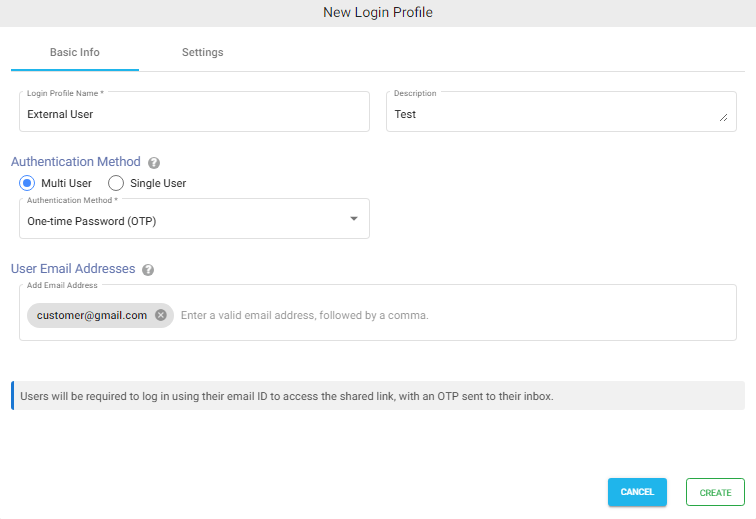
Under the Basic Info tab, enter the Login Profile Name and an optional Description.
Under Authentication Method, select MultiUser.
From the Authentication Method dropdown, select One-Time Password (OTP).
Enter one or more email addresses, separated by commas. These email addresses will be authorized to receive a one-time password (OTP) when accessing the share.