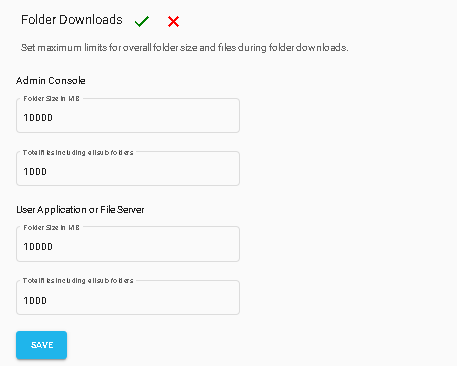
Folder Download Limits allow administrators to control the maximum number of files and the overall folder size that users can download in a single download operation. Once the configured limit is reached, users cannot download additional files or folders as part of the same download.
Follow these steps:
Log in to the Admin Console.
From the left menu, click Settings, and then select LimitControls.
Go to Folder Downloads and click Edit to make changes.
Under AdminConsole, specify the maximum Folder Size (MB) and the maximum Total Files (including all subfolders) allowed for a single folder download.
Under UserApplication or File Server, specify the maximum Folder Size (MB) and the maximum Total Files (including all subfolders) allowed for a single folder download.