Search Documentation
< All Topics
Organizational Details
When creating Login Profiles for Single Sign-On (SSO) with external identity providers, make sure the organizational details are configured, as they are required for identity provider (IdP) integration.
Follow these steps to configure the organizational details:
- Log in to the Admin Console.
- From the left menu, click Settings, and then select SAML.

- Click Edit to make changes.
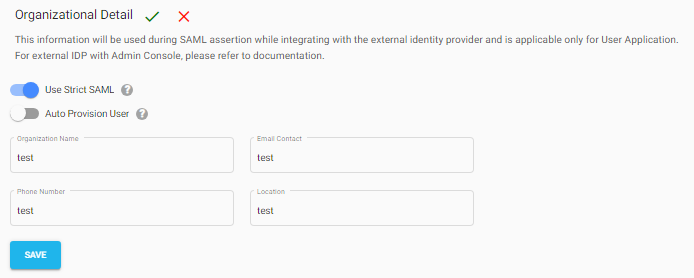
Configure the following settings:
- Use Strict SAML – Enables strict SAML assertion validation.
- Auto Provision User – Automatically creates users in NirvaShare during SSO.
- Provide the organizational details, including the Organization Name, Contact Email Address, Phone Number, and Location.
- Save the configuration.
The configured organizational details are used during SAML assertion when integrating with an external identity provider (IdP).
Posted
Updated
Table of Contents