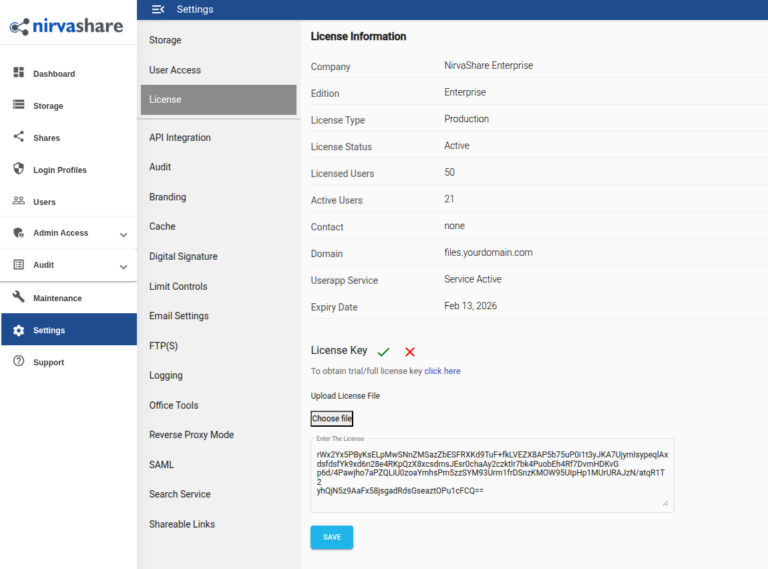
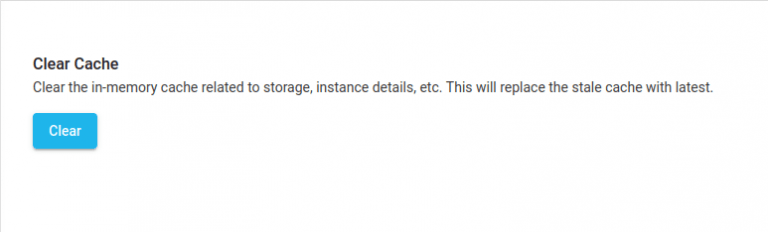
Skip to main content Search Documentation Search < All Topics Main Deployment Applying License Key Applying License Key In case you do not have the license key, you can obtain a trial or production license key from NirvaShare from the below mentioned links.Trial LicenseProduction License License Key Once you have the license key, please follow the below steps to apply the same.Login to Admin Console.Click on Settings in the side menu and then on License sub menu.Click on edit icon, paste the license content or browse the license file.Save it. In the same Settings page, go to sub menu Cache.Click on the button CLEAR. This will invalidate the cache related to old license information. Table of Contents
< All Topics Main Deployment Applying License Key Applying License Key In case you do not have the license key, you can obtain a trial or production license key from NirvaShare from the below mentioned links.Trial LicenseProduction License License Key Once you have the license key, please follow the below steps to apply the same.Login to Admin Console.Click on Settings in the side menu and then on License sub menu.Click on edit icon, paste the license content or browse the license file.Save it. In the same Settings page, go to sub menu Cache.Click on the button CLEAR. This will invalidate the cache related to old license information.