NirvaShare is a secure, enterprise-level file-sharing software that can be configured to share files from File System storage, which is widely used by organizations. The simple procedure to configure and use it is provided in this document.
File System Configuration
A local file system can be used as storage for file sharing. Follow the steps below to configure it:
SSH into the Linux VM where NirvaShare is installed.
Create a folder with any name under /var/nirvashare/ Example: /var/nirvashare/file_storage/
Set the necessary read and write permissions for the folder to ensure proper access. Example: chmod 744 /var/nirvashare/file_storage/
You can also mount external storage, such as NAS or cloud storage, to this folder.
Storage Configuration
File System Storage can be configured using the below mentioned steps.
Login to the Admin Console of NirvaShare.
Click on left menu Settings and then on Storage.
Edit the File Storage.
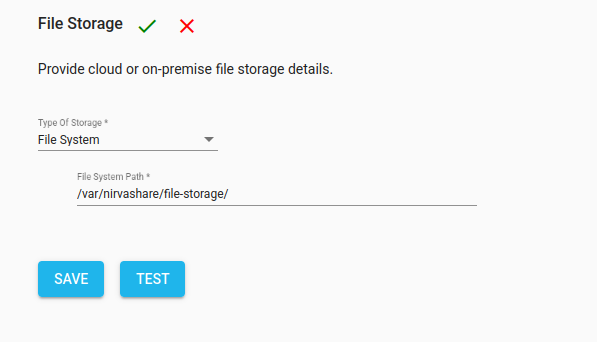
Select File System under type of Storage.
Provide a Path of the folder to be shared. Ex: /var/nirvashare/file_storage/