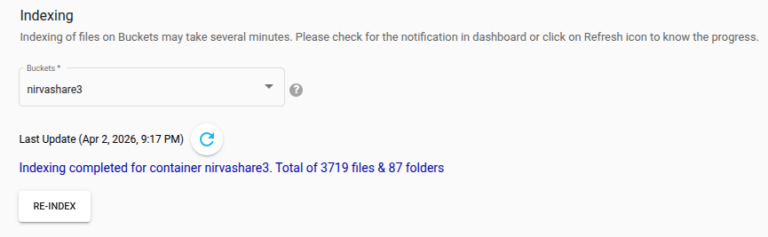
This feature allows administrators to regenerate the index from the underlying storage, ensuring all files and metadata are properly indexed for accurate search, filtering and retrieval.
Indexing Files
Follow the steps below to build index data for the storage.
Log in to the Admin Console as a Super Administrator.
Click Settings in the left menu.
Navigate to the Search Service submenu.
Under The Indexing section, select the required bucket or root container from the dropdown list.
Click RE-INDEX to start the indexing process.
The system will begin indexing files in the selected storage root container, which may take several minutes depending on the number of files present.
While indexing is in progress, the status can be checked by clicking in refresh icon.
Note – To stop or abort the ongoing indexing, you can click ABORT.
After indexing is completed, a notification is added to dashboard as well.