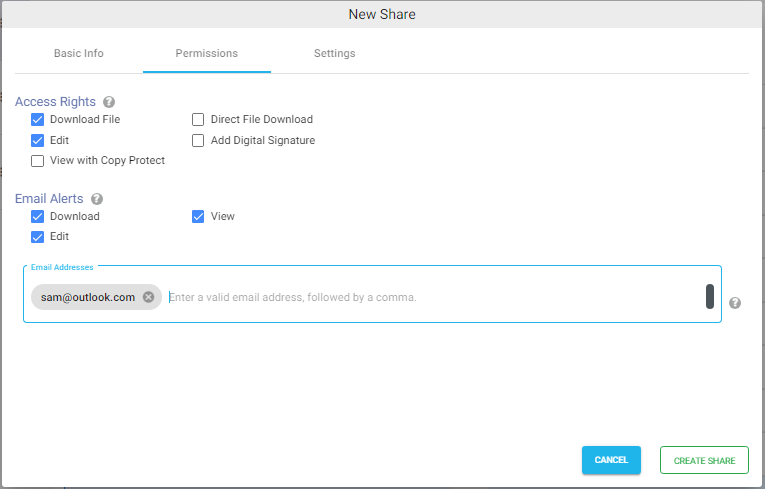
The file permissions tab allows you to configure access rights for a shared file.
Select the desired checkbox to grant permissions. following are the details
Download File – Allows users to download or view the shared file.
Direct File Download – Allows users to download the file immediately when the share link is opened without displaying the file viewer.
Edit – Allows users to edit the file. This option is supported only for Office documents when ONLYOFFICE integration is configured.
View with Copy Protect – Allows users to view supported documents while preventing the content from being copied or downloaded. Supported for PDF, DOCX, and PPTX files. You can also add optional watermark to the document.
Add Digital Signature – Applies a digital signature to PDF documents when they are downloaded. A valid digital signing certificate must be configured before using this option.
Email Alerts
Receive email notifications when users perform selected actions on the shared file or folder.
Configure email notifications for the following events:
View – Sends an email notification whenever the shared file is viewed.
Download – Sends an email notification when the file is downloaded.
Edit – Sends an email notification when the file is edited.
Specify one or more email addresses to receive notifications. Multiple email addresses must be separated by commas.