NirvaShare provides a streamlined mechanism to restore archived files back to an accessible state. When a restore request is initiated, the file is temporarily retrieved from the archive storage and made available for download or preview based on the selected retrieval tier and duration.
This section explains how to initiate and manage file restoration from archival storage.
Restore Files/Folders
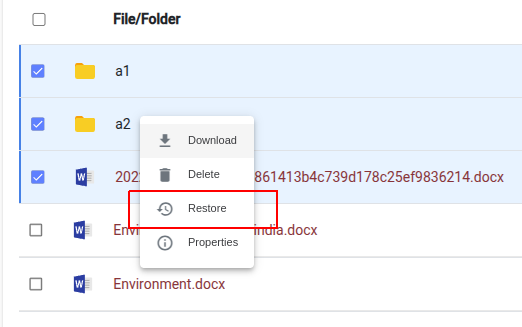
To restore files, select one or more files/folders from the Storage menu and choose Restore from the action menu. Please note that only archived files can be restored, and file names are indicated in red.
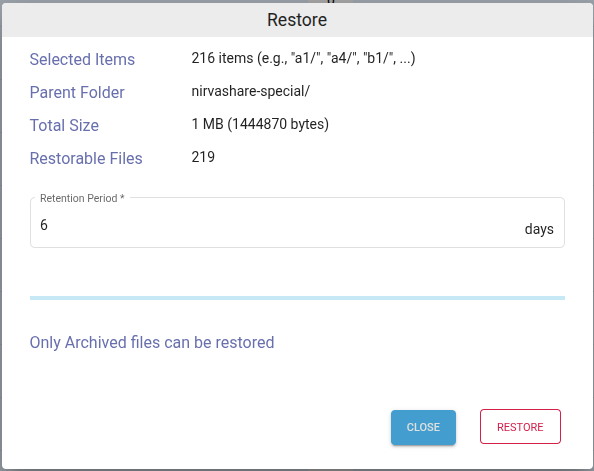
In the restore dialog, provide the retention period in days.
Click on RESTORE.
This will start initiating restore action for the selected archive files.
Restore Status
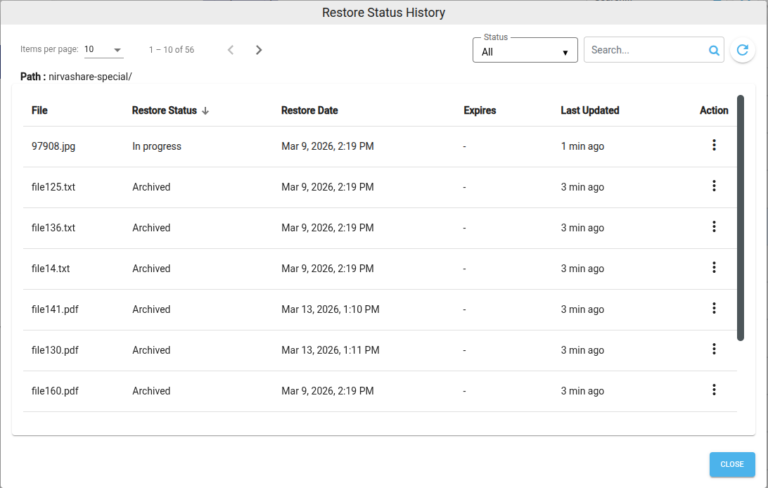
To view the status of archived files, click the Restore Status icon in the top-right corner.
To manually refresh the status, select one or more archived files and click Update Status from the action menu.